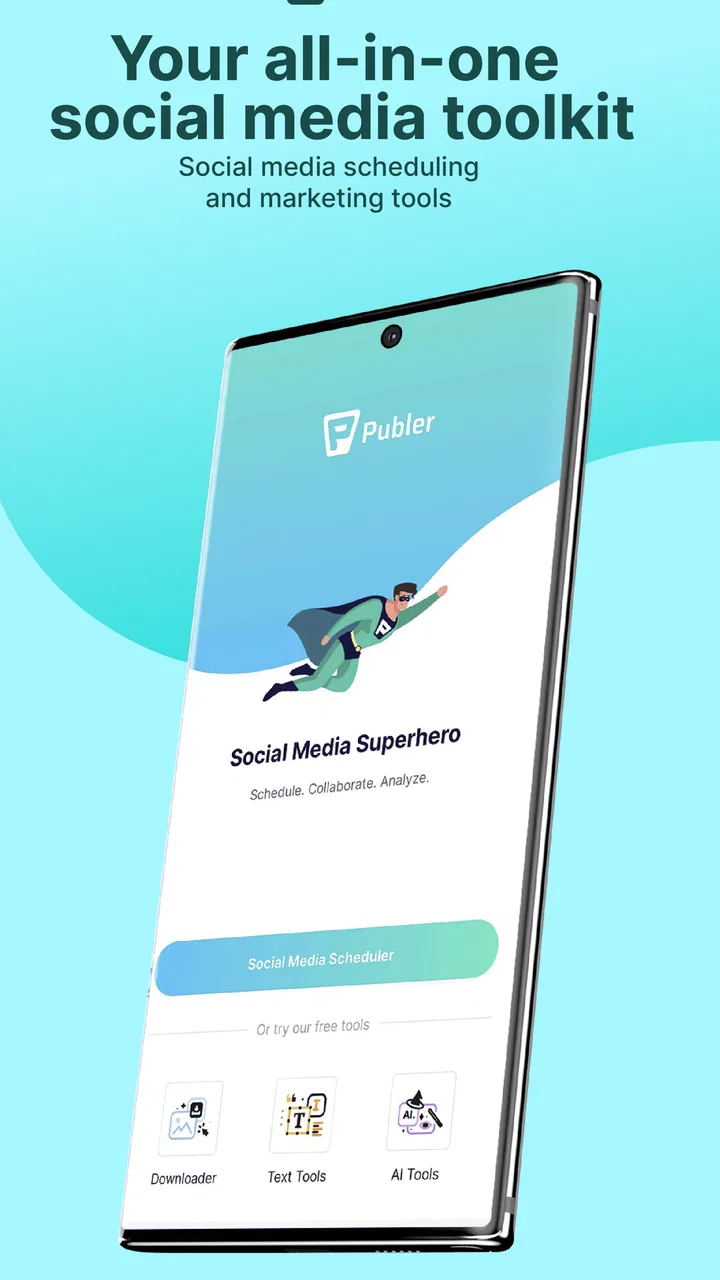
Publer: Social Media Tools
- 4.7
- Rating
- 1.00M
- Installs
- Free
- Price

 Analysis by App-foxy
Managing several social profiles can quietly turn into a communication problem. I may only want to publish a quick update, but then I am switching between accounts, rewriting the same idea for different audiences, checking timing, and trying not to let social media take over the rest of the day. Publer: Social Media Tools is built for that exact pressure point. It is a social app from Kalemi Code that brings account management and marketing work into one place, with the goal of making publishing more deliberate instead of constantly reactive.
After using it as a central workspace, I found its main value less exciting than a flashy creative app but much more practical: it helps separate the moment I prepare communication from the moment people actually see it. That small change can make a noticeable difference for a freelancer, a small business owner, a creator, or anyone responsible for keeping several public profiles active. It is free to install, rated for Everyone, and available on devices running Android 7.0 or later. Optional purchases range from $2.99 to $119.99 per item, so the free starting point is useful, but serious users should pay attention to which tools are included at their chosen level.
Why a shared social workspace matters
The usual alternative is to open each social network separately and treat every post as an isolated task. That approach is familiar, but it encourages fragmented thinking. I might publish on one account, remember a related message later, and then lose the original context while moving through another app. Publer gives the work a more unified rhythm. Instead of asking, “What should I post right now?” I can think in terms of a communication plan: what needs to be said, where it belongs, and when I have enough attention to prepare it properly.
You May Also Like

 Blood Strike: 2.5 Anniversary
Blood Strike’s Loadouts Turn Every Drop Into a Tactical Gamble
A close look at Blood Strike’s custom loadouts: how fast access to signature weapons reshapes its battle royale rhythm, rewards preparation, and narrows the gap between fights.

 Pandora - Music & Podcasts
Pandora’s Music Is Easy to Start, but Harder to Recover
Pandora’s strength is its low-effort path from a seed to a station. Its weak spot is how much confidence it asks you to place in connection, setup, and quiet recovery.

 8 Ball Pool
 Is Built on Rivalries, Rematches, and Routine
A close look at the rivalries, rematches, shared routines, and unanswered safety questions that turn a quick pool match into a persistent mobile community.

 Samsung Music
’s Quiet Strength Is Playing What You Already Own
Its reach comes less from spectacle than from dependable access to a personal library. That simplicity is both the app’s strongest retention engine and its ceiling.

 AccuWeather: Weather Radar
AccuWeather Review: A Quick, Clear Forecast for Everyday Decisions
For everyday plans, the best forecast is the one you can understand quickly. AccuWeather makes rain timing, radar, and local conditions easy to act on, with a few trade-offs.

 Hill Climb Racing
Why Hill Climb Racing Still Turns Crashes Into One More Run
A tiny car, a bumpy hill and one more upgrade: Hill Climb Racing keeps resurfacing because its simple chaos makes every near-miss feel personal.
More From Our News Desk
View All News


That is especially useful when the same campaign or announcement needs to appear across multiple profiles without becoming a lazy copy-and-paste exercise. A single idea can be reviewed as a group, then adjusted for the tone of each audience. I found that this reduces a common mistake: publishing the same wording everywhere simply because switching between platforms is tiring. The app is most valuable when it turns social work from a stream of interruptions into a batch of manageable decisions.
The product’s public reach also suggests that this is not a niche experiment. Publer has passed one million installs and holds a 4.7 average from around 85 thousand ratings. Those figures do not guarantee that every workflow will suit every person, but they do make the app worth considering when a basic phone scheduler no longer feels sufficient. I would approach it as a coordination tool rather than as a replacement for the social networks themselves.
Starting with a clear account structure
The first practical step is to decide what each connected profile is meant to do. This sounds obvious, but it prevents the dashboard from becoming another crowded inbox. I would separate personal communication, client work, brand announcements, and promotional content before building a publishing routine. If every account is treated the same, the convenience of central management can actually make messages less distinct.
For a small team, I would also create a simple internal rule: prepare evergreen material in batches, but handle replies and sensitive conversations separately. Scheduled publishing is good at reducing repetitive work; it is not a substitute for listening. A post can be carefully prepared and still need a human response when people react to it. Keeping those two activities mentally separate makes the app feel calmer and prevents the false impression that a full queue means the social work is finished.
A useful, less obvious habit is to write the purpose of a post before writing its final wording. Is it meant to inform, invite discussion, drive attention to an offer, or simply maintain a regular presence? When several accounts are managed together, that short decision helps stop the calendar from filling with messages that look active but say very little. Publer supports a more organized process, but the editorial judgment still has to come from me.
Making conversation flow feel intentional
Social communication is not only about sending messages. It is also about creating a sequence that people can follow. A first post may introduce an idea, a later one may clarify it, and another may answer the question that naturally follows. When I prepare those pieces in one workspace, I can see the relationship between them more clearly than when I publish them in separate apps at unrelated moments.
This is where the app can improve clarity. I can avoid announcing the same thing twice, remember which angle has already been used, and leave enough room for the audience to understand one message before receiving the next. That matters for product updates, event reminders, educational content, and recurring promotions. A crowded schedule is not automatically an effective one. In my experience, a smaller number of connected posts often feels more professional than a burst of disconnected updates.
There is also a useful trade-off here. Centralizing content makes editing easier, but it can tempt me to make every platform sound identical. I would not use one universal caption without reviewing it for each audience. A short message that works on a fast-moving public feed may need more context elsewhere. Publer helps me organize the conversation, while the final adaptation still requires attention to tone, length, and the expectations of each community.
A realistic everyday workflow
Imagine a local café owner who has a new seasonal menu, a few customer photos, and a weekend reminder to publish. Without a central tool, the owner may spend small pieces of the day opening different apps, remembering which photo went where, and rewriting the same details under time pressure. With Publer, the practical approach is to gather the material during one focused session, prepare distinct versions for the relevant profiles, and arrange the messages so the menu introduction comes before the reminder.
The important benefit is not simply saving taps. It is protecting the owner’s attention during opening hours. Instead of repeatedly thinking, “I still need to post that,” the communication task has a defined preparation window. The owner can then return to comments and direct conversations at a chosen time, rather than mixing publishing, customer service, and daily operations into one continuous distraction.
I would use the same method for freelance work. At the beginning of the week, I could prepare helpful posts, client-approved announcements, and a few flexible pieces that can be adjusted if priorities change. I would leave space for timely content rather than filling every available slot. That balance is important: a schedule should reduce pressure, not create a new obligation to publish regardless of what is happening.
Attention, boundaries, and the cost of automation
The strongest reason to use this kind of app is often emotional rather than technical. Social media can make every quiet moment feel like a missed opportunity. Publer creates a boundary between planning and checking. I can prepare communication when I am focused, then step away without wondering whether I should be posting something immediately.
That boundary only works if I use it deliberately. A scheduled queue can become another source of anxiety when I keep opening it to make constant changes. I recommend choosing a review period, checking upcoming content for accuracy, and then leaving it alone unless new information genuinely requires an edit. The aim is not to watch the calendar all day. The aim is to make the calendar trustworthy enough that I do not need to.
There is a second attention cost that is easy to overlook: managing many accounts in one place can make social activity feel larger than it really is. A single screen may show a large amount of work, but not all of it deserves equal priority. I would group tasks by consequence. A public correction, customer question, or time-sensitive announcement deserves more care than a routine visibility post. The app can organize the workload, but it cannot decide which conversations matter most.
Where Publer saves time, and where it does not
Publer is well suited to repetitive planning, coordinated campaigns, and maintaining a steady publishing rhythm. It is less suited to anyone who wants social media to remain completely spontaneous. If my communication depends on live reactions, immediate trends, or constant real-time interaction, a centralized planner may feel like extra structure rather than help.
It also does not remove the need to check how content appears after publication. Different networks have different layouts, audiences, and expectations. A post that looks fine in a preparation view may still need a quick real-world review once it is live. I would never treat scheduling as permission to stop monitoring important profiles.
The free entry point makes experimentation straightforward, but the in-app purchase range means that the total experience may depend on the tools a user needs. Someone managing only occasional personal updates may find the free setup adequate. A business handling multiple accounts, planned campaigns, or more advanced marketing work should examine the available options before building its entire process around features that may require payment. That is not a reason to avoid the app; it is a reason to define the workflow first and upgrade only when the saved effort is clear.
Using the app without losing a human voice
Automation becomes a problem when it removes all signs of presence. I would keep scheduled content for information that remains useful over time, while reserving part of the day for genuine replies and unexpected conversations. This creates a healthier balance between consistency and responsiveness.
One practical tip is to maintain two mental queues: “ready to publish” and “needs a human decision.” The first can contain approved announcements or evergreen material. The second should include posts involving changing details, sensitive topics, or questions that depend on current events. Mixing both types together increases the chance of publishing something that has become outdated or emotionally out of step.
Another useful approach is to review content in context rather than only one item at a time. Look at several upcoming messages together and ask whether they repeat the same promise, use the same tone, or crowd one topic. The advantage of a central social workspace is not just faster posting; it is the ability to notice patterns across the schedule. That broader view can improve communication more than adding another individual post.
Who should choose it, and who should skip it
I would recommend Publer to people who manage several social identities, publish for clients, run a small organization, or feel that social media is stealing attention in small repeated bursts. It is particularly helpful when the main challenge is coordination rather than a lack of ideas. The app gives those users a place to prepare, review, and organize communication before it becomes urgent.
I would be more cautious if I only use one profile occasionally, dislike planning, or prefer to compose every message directly inside the network where it will appear. In those cases, the native tools may be simpler and may involve fewer steps. I would also look elsewhere if my priority is deep community management rather than publishing organization. A planning-focused app can support communication, but it should not be mistaken for a complete substitute for the social environment where conversations happen.
For teams, the decision depends on how much structure is actually needed. Publer can bring order to shared publishing work, but a team still needs clear approval habits and responsibility for replies. Without those agreements, a central dashboard may only make confusion visible in one place. The app works best when paired with a simple editorial process, not when expected to invent one.
What the version and platform details mean in practice
The current version is 2.4.2, and the Android requirement of 7.0 or later keeps the entry barrier reasonably broad for compatible devices. I would still check the app’s behavior on the phone I plan to use for daily work, especially if I depend on it during busy periods. Social management is a workflow where reliability matters more than novelty: opening the workspace quickly, finding the right account, and reviewing content without confusion are more important to me than decorative extras.
Because it is categorized as a Social app and rated Everyone, it is positioned for broad everyday use rather than a narrowly specialized professional audience. That does not mean every feature or paid option will suit every age group or working style, but the basic concept is easy to understand. The developer, Kalemi Code, has made the product approachable enough for someone starting with a few profiles while leaving room for users who take publishing more seriously.
I would also remember that “free” describes the starting price, not necessarily every possible workflow. The app can be tried without committing to a purchase, which is valuable. Before paying, I would spend enough time recreating my real routine: connect the accounts I actually use, prepare a small batch, inspect the schedule, and decide whether the reduction in switching and mental clutter is meaningful. That test is more useful than choosing based only on a feature list.
My social verdict
Publer: Social Media Tools changes the question from “Should I post right now?” to “What communication deserves my attention, and when?” That is its most convincing contribution. It gives publishing a rhythm, creates distance from constant checking, and makes it easier to see whether several messages form a clear conversation or merely fill space.
I like it most as a boundary-setting tool. I can prepare content in a focused block, leave room for real replies, and stop treating every social account as an emergency channel. The app does not eliminate the work of writing well, adapting messages, or responding thoughtfully. Instead, it removes some of the avoidable friction around those tasks.
My recommendation is strongest for multi-account users who want consistency without surrendering their whole day to social media. Occasional users may find native platform tools more direct, while highly spontaneous communicators may resist the planning mindset. For everyone in between, the free starting point makes it reasonable to test the workflow before considering purchases. With a 4.7 average and more than a million installs, it has clearly earned attention, but my final judgment is simpler: Publer is worthwhile when better boundaries and clearer communication matter more than posting in the moment.
FAQs for Publer: Social Media Tools
01What features does Publer offer for social media management?
Publer provides a comprehensive suite of tools for social media management, including post scheduling, automatic recycling of content, and detailed analytics. It supports multiple platforms such as Facebook, Twitter, Instagram, and LinkedIn. Users can also customize scheduling with a drag-and-drop calendar and leverage collaboration tools for team management.
02Is Publer suitable for both individuals and businesses?
Yes, Publer is designed to cater to both individual users and businesses. It offers scalable plans that adjust to the user's needs, whether you're managing a personal brand or handling multiple accounts for a company. Its collaborative features make it especially useful for teams working on joint social media strategies.
03How does Publer's pricing structure work?
Publer offers a tiered pricing structure with different plans to suit various needs. There is a free plan with limited features, while the paid plans offer more advanced tools such as bulk scheduling, analytics, and additional user access. Users can choose monthly or annual billing options, often with discounts for longer commitments.
04Can I integrate Publer with other third-party tools?
Yes, Publer supports integration with various third-party tools to enhance its functionality. Users can connect with popular apps like Canva for design, Google My Business for local presence, and more. These integrations help streamline workflows and enhance the management of social media content creation and distribution.
05How user-friendly is Publer for beginners?
Publer is designed with an intuitive interface that is user-friendly, even for beginners. The platform offers robust customer support and a variety of resources, such as tutorials and FAQs, to help new users navigate the tool effectively. This makes it easy for anyone to start managing their social media accounts efficiently.
Pros
- User-friendly interface for easy navigation.
- Supports multiple social media platforms.
- Advanced scheduling features.
- Integrated media library for quick access.
- Detailed analytics to track performance.
Cons
- Limited free plan features.
- Occasional lag with large uploads.
- Mobile app lacks some web features.
- No direct integration with TikTok.
- Learning curve for advanced tools.

Publer: Social Media Tools
Gallery